What Is a Headshot? What a Form Means When It Asks for One
A headshot is a recent photo of you from the shoulders up, face clear, plain background. What a form means by \"upload your headshot\", and whether a selfie will do.

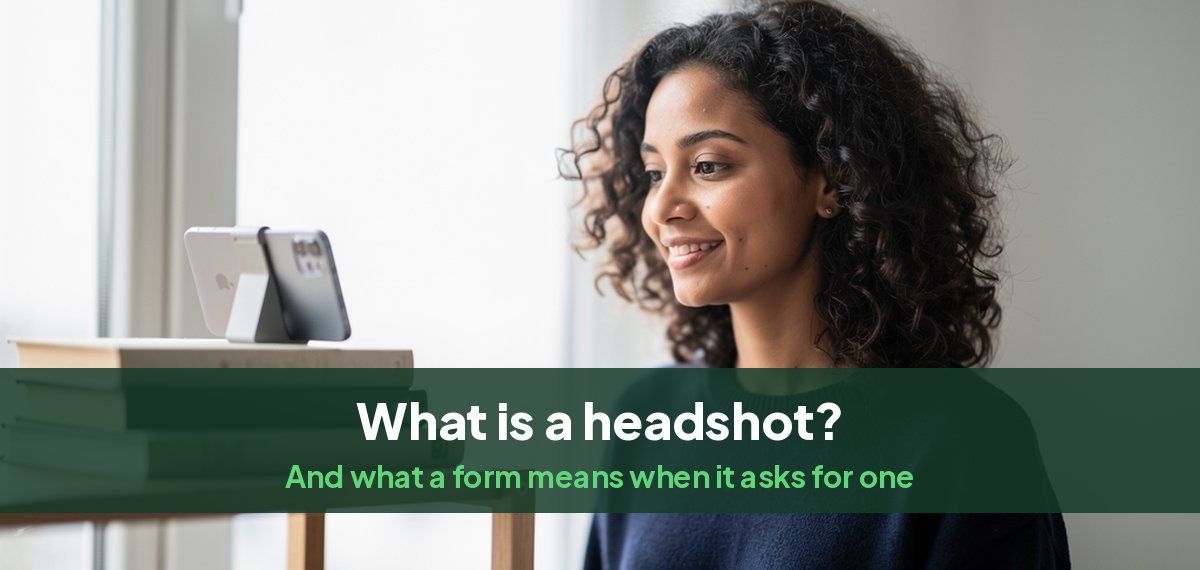
A headshot is a photo of you from the shoulders up, facing the camera, with your face clear and in focus. When an application, an event or an employer asks you to upload your headshot, they mean exactly that: a recent photo of your head and shoulders on a plain background, with only you in it. Not a full-length photo, not a group photo with the others cropped out, and not a picture where sunglasses or shadows hide your face.
A well-lit selfie can be a headshot. Most are not, for reasons that are easy to fix, set out below.
What a form means when it asks for a headshot
The request is the same everywhere, but what the photo is for changes how formal it should be.
| Who asks | What the photo is for | What they want |
|---|---|---|
| A job application | Your profile in the hiring system, sometimes your CV | Business or smart casual clothes, a plain background, a natural smile |
| A conference, forum or event | Your badge and the speaker or delegate list | Face forward, only you in the photo, often 600 x 750 pixels or larger |
| Your new employer | Your ID badge, staff directory, Slack or Teams | A square crop with your face filling most of it, plain light background |
| A university or residency program | Your application file, such as ERAS | A professional photo, face centered, with a file size limit |
| A company website or press release | A meet-the-team page or a speaker bio | A polished photo that matches the rest of the team's |
| A casting call | Your acting submission | A true likeness, no heavy retouching, 8 x 10 in print or the site's own size |
If the form gives a size or a file limit, it is in the small print beside the upload box. Our headshot sizes guide gives the sizes for badges, ID cards, LinkedIn, acting and passports, and how to crop to an exact pixel size.
What a headshot must show
- Your head and the top of your shoulders. Your face fills roughly two thirds of the height of the photo, with a little space above your hair.
- Your face, clearly. Looking at or near the camera, eyes open, nothing covering it: no sunglasses, hats or hands.
- Only you. No other people, no partly cropped shoulders at the edge of the frame.
- A plain or softly blurred background. A wall, an office out of focus, or a solid color.
- Even light. No harsh shadow across half your face, no bright window behind you.
- You as you look now. A photo from five years and two haircuts ago defeats the point: the people who receive it will meet or see you.
Headshot, portrait or selfie
| Headshot | Portrait | Selfie | |
|---|---|---|---|
| Framing | Shoulders up | Anything from face to full length | Usually face, at arm's length |
| Purpose | To show who you are, clearly | To express something about you | Casual, for friends |
| Taken by | A photographer, a friend, a tripod or an AI headshot tool | A photographer | You, with the front camera |
| Accepted on a form | Yes | Only if cropped to the shoulders | Sometimes, if it meets the list above |
A photo of only your head and shoulders is called a headshot, or a head-and-shoulders shot. A school or team photo made of many headshots is usually called a composite or a team grid.
Can a headshot be a selfie?
Yes, if it meets the list above. Most selfies do not, because of the way they are taken:
- The front camera distorts your face. At arm's length, the features closest to the lens look larger, so your nose and forehead grow and your ears shrink.
- The light is wherever you happen to be. A car or a dim room gives shadows under the eyes and flat skin tones.
- The angle is from below or above. Holding the phone yourself rarely puts it level with your eyes.
- The background is busy. Portrait mode blurs it, but often blurs the edges of your hair and shoulders too.
How to take a selfie that works as a headshot
- Use the rear camera, which is sharper and distorts less, with the timer or a remote.
- Stand facing a window in daylight, not with it behind you.
- Put the phone at eye level on a shelf, stack of books or tripod, about an arm and a half away, and zoom in slightly rather than moving closer.
- Choose a plain wall behind you and skip portrait mode.
- Wear a solid, mid-tone top, nothing with a large logo or a busy pattern.
- Take twenty and pick one. Small changes in your chin and smile matter more than anything else.
Our guide to taking a professional headshot by yourself goes through the setup step by step.
How to get a headshot today
When a form asks for a headshot and the deadline is close, there are four ways to get one:
- A careful selfie, set up as above. Free, and fine for a badge or a directory.
- A friend with a phone, standing a few steps back and zooming in. Better angles than a selfie, still free.
- A photographer. The best result for a website or a press kit, but it usually means booking a session days ahead.
- AI headshots. Headshots by Magic Studio turns about ten of your own photos, selfies included, into 50 AI headshots across 5 looks, ready in 15 minutes, and you see them before paying. Our guide to turning a normal photo into a headshot shows what goes in and what comes out.
The free AI headshot generator makes a headshot from one photo, with no sign-up, so you can see whether it works for your form first.
What headshots are used for
Beyond application forms, the same photo is used for a LinkedIn profile, an email signature, a company website, a speaker or author bio, a press release, and a CV in countries that expect a photo. Using one headshot, or one set taken together, across all of them makes you easier to recognize. Our professional headshot examples show what works for different jobs.
Common questions
What is a headshot?
A photo of you from the shoulders up, facing the camera, with your face clear, on a plain background, with only you in the frame.
What does "upload your headshot" mean?
The form wants a recent, clear photo of your head and shoulders, which it will use for a profile, a badge or a directory. Check beside the upload box for a size or file limit.
What is a headshot in a job application?
A professional photo of your head and shoulders, used on your profile in the hiring system and sometimes on your CV. Dress as you would for the interview and use a plain background.
Can I use a selfie as a headshot?
Yes, if it is sharp, evenly lit, taken at eye level, and shows only your head and shoulders on a plain background. Use the rear camera with a timer for the best result.
Does a headshot have to be taken by a professional?
No. A form asking for a headshot cares about what the photo shows, not who took it. A photographer, a friend, a careful selfie or an AI headshot tool can all produce one.
What is a photo from the shoulders up called?
A headshot, or a head-and-shoulders shot.
What size should a headshot be?
Whatever the form asks for. Without a size, a square of at least 600 x 600 pixels works for profiles and badges, and a 4:5 portrait of 800 x 1000 pixels or larger for websites. The headshot sizes guide lists each use.