
LinkedIn Profile Picture: What a Good One Looks Like
What makes a good LinkedIn profile picture: framing, expression, clothes, background and size, what recruiters reject, and whether an AI headshot is OK.

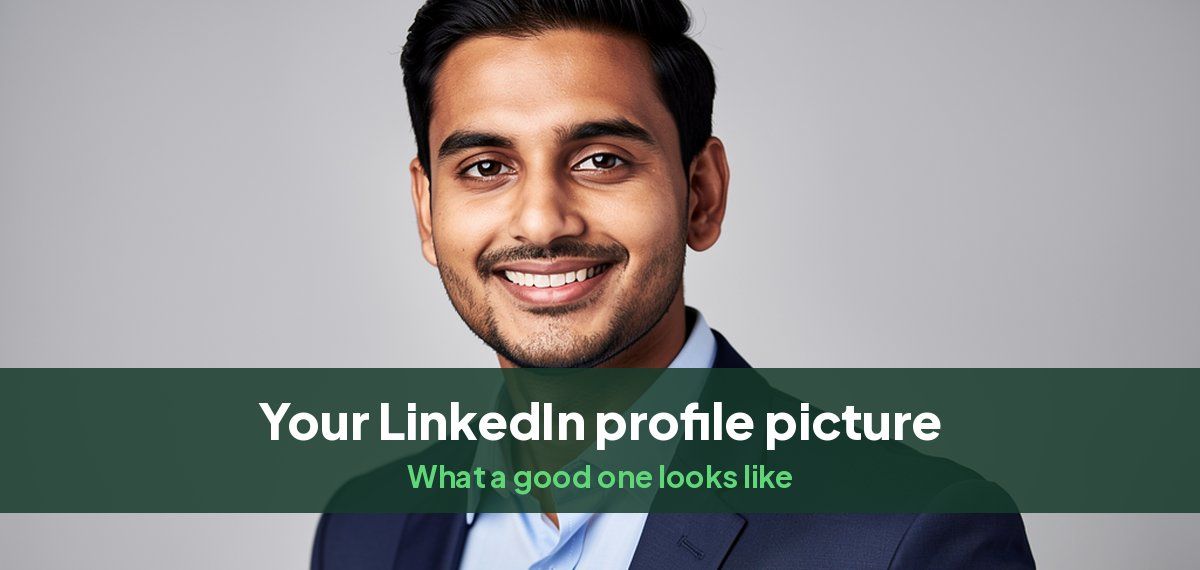
A good LinkedIn profile picture is a recent, sharp photo of your head and shoulders, with your face filling most of the circle, a natural smile, clothes you would wear to work, and a plain or softly blurred background. It should look like you on a good day, because the people who see it will meet you.
LinkedIn shows the photo as a small circle, often at thumbnail size in search results and comments, so whatever is not your face barely registers.
The checklist
| Do | Avoid | |
|---|---|---|
| Framing | Head and top of shoulders, face filling about 60% of the circle | Full body, distant shots, cropped group photos |
| Expression | A relaxed smile that reaches your eyes, looking at the camera | A blank stare, sunglasses, looking away |
| Clothes | What you wear to work, one step smarter, in a solid color | Busy patterns, logos, beachwear |
| Background | Plain or softly blurred, contrasting with your clothes | Clutter, other people, a busy street |
| Light | Soft, even light on your face | A window behind you, harsh shadows |
| Quality | Sharp, at least 400 x 400 pixels | Pixelated, filtered, heavily smoothed |
| Currency | Taken in the last two or three years | A photo from five haircuts ago |
Why it matters
Recruiters look at the photo first. In a survey of recruiters by Passport Photo Online, 71% said they had rejected a candidate because of their LinkedIn photo, and 87% treated how professional the photo looks as important. A missing photo is not neutral either: a profile without one looks unfinished or fake.
Framing and crop
- Frame from the top of your chest up and leave a little space above your head, because the circle cuts the corners.
- Put your eyes about a third of the way down the photo.
- Upload a square of at least 400 x 400 pixels; 1,000 x 1,000 or larger keeps it sharp after LinkedIn compresses it. Our guide to LinkedIn profile picture size gives every dimension.
Expression: should you smile?
Yes, for almost every role. A smile that reaches your eyes reads as warm and confident; a closed-mouth smile reads as composed. A serious face can suit some senior legal or finance roles, but even there, a slight smile is safer. Our guide on whether to smile in a headshot has examples.
Clothes and background
Dress for the job you want people to picture you in: a blazer for client-facing and corporate roles, a fitted sweater or plain top for tech and creative roles. Choose a solid, mid-tone color that contrasts with the background. Our guide to what to wear for a headshot has outfits by role, and the best background color for headshots covers the wall behind you.
The mistakes recruiters flag
- Low quality: blurry, pixelated or badly lit photos.
- Wrong context: party, wedding, holiday or car photos, and group photos with someone cropped out.
- Out of date: a photo that no longer looks like you.
- Over-edited: heavy filters and skin smoothing.
- Looks artificial: in a Human Resources Online report, 66% of recruiters said they reacted negatively when they recognized a photo as AI-generated. The problem is a photo that looks fake, not a photo made with AI.
Is an AI headshot OK on LinkedIn?
Yes, if it looks like you. LinkedIn's own rule is that your profile photo must reflect your likeness. The test is simple: would a colleague recognize you from it instantly, and would the person interviewing you on video? Choose an AI headshot with natural skin, your real hair and glasses, and no idealized changes to your face. Our guide to the best AI headshot generators for LinkedIn covers which tools to consider.
Headshots by Magic Studio turns about ten of your own photos into 50 LinkedIn headshots across 5 looks, ready in 15 minutes, and you see them before paying. The free AI headshot generator tries it on one photo, with no sign-up.
Taking it yourself
Stand facing a window, put your phone at eye level on a shelf or tripod six to eight feet away, zoom in slightly and use the timer. Take twenty and pick the one a friend says looks most like you. Our guide to taking a professional headshot at home goes step by step, and the LinkedIn background photo guide covers the banner behind it.
Common questions
What makes a good LinkedIn profile picture?
A recent, sharp head-and-shoulders photo, face filling most of the circle, a natural smile, work clothes in a solid color, and a plain or softly blurred background.
What should a LinkedIn profile picture include?
Your face and the top of your shoulders, and nothing else that competes with them: no other people, no busy background, no sunglasses or hats.
Should you smile in your LinkedIn photo?
Yes. A relaxed smile that reaches your eyes reads as approachable and confident in almost every industry.
What is an appropriate LinkedIn photo?
One you would be comfortable showing in a job interview: dressed for work, recent, well lit, and only you in the frame.
Can I use an AI headshot as my LinkedIn picture?
Yes, as long as it looks like you. LinkedIn requires the photo to reflect your likeness, and recruiters react badly to photos that look artificial.
What size is a LinkedIn profile picture?
At least 400 x 400 pixels, up to 7680 x 4320, as a JPG or PNG under 8 MB. A square of 1,000 x 1,000 or larger works best.