
How to Take a Professional Headshot at Home, Step by Step
Take a professional headshot at home with a phone: where to stand, how to set the camera, what to wear, how to pose, and how to pick and edit the shot. Plus a team version.

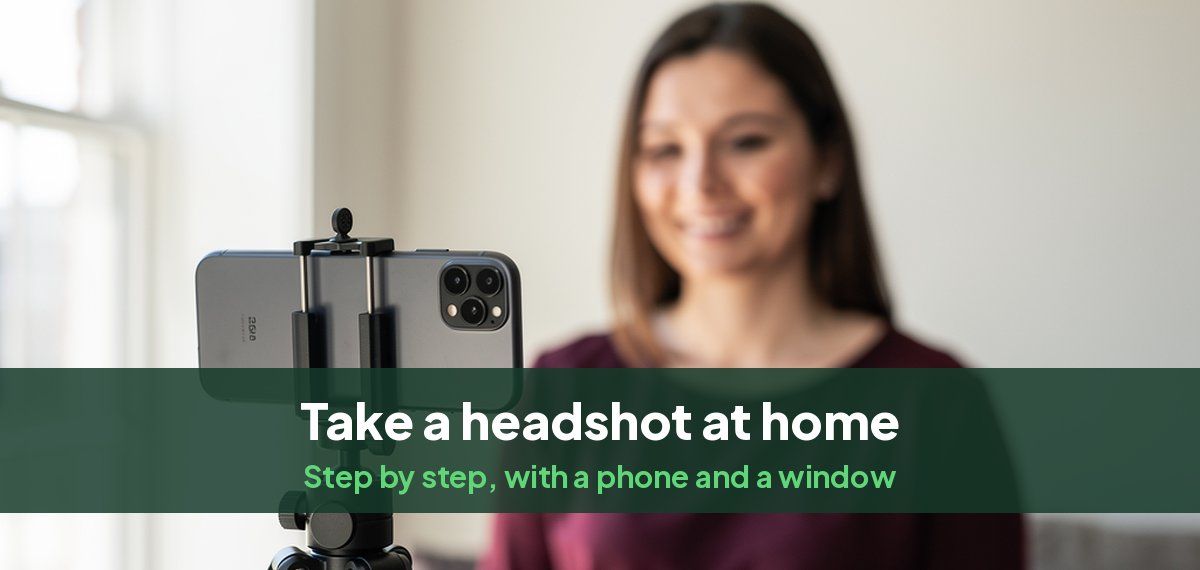
You can take a professional headshot at home with a phone, a window and twenty minutes. The steps below are the ones a photographer follows, scaled down to what you have: the light, the camera position, the framing, the pose, then choosing and editing the shot. At the end, how to do the same for a whole team so the photos match.
What you need
- A phone with a rear camera. The rear camera is sharper and distorts less than the front one.
- Something to hold it steady at eye level: a tripod, a shelf or a stack of books.
- The timer, or a remote shutter. Most phones let a smartwatch or earbuds trigger the camera.
- A window with daylight, and a plain wall.
- Two or three solid-colored tops.
Step 1: Pick the spot
Stand facing a window, about three to five feet from it, so daylight falls evenly on your face. Put a plain, light wall behind you, at least three feet back, so your shadow does not land on it. Overcast daylight or a window that does not get direct sun gives the softest light. If the sun is shining straight in, hang a white sheet or a sheer curtain over the window.
Avoid standing with the window behind you, under a ceiling light, or next to a strongly colored wall that will tint your skin.
Step 2: Set up the camera
- Height: the lens at eye level or a couple of inches above.
- Distance: six to eight feet away, then zoom in to 2x if your phone has it. Shooting from further back keeps your face in proportion.
- Orientation: vertical (portrait). You can crop a square later.
- Settings: turn off the flash and portrait mode. Portrait mode's background blur often smears hair and shoulder edges. Tap your face on the screen to focus and set the exposure.
- Timer: 10 seconds, with burst mode on if your phone has it.
Step 3: Dress for the role
Wear a solid, mid-tone top that fits well at the shoulders: navy, gray, burgundy or soft blue for most people. For a corporate role, a blazer over a plain top or a collared shirt. For creative or startup roles, a well-fitted sweater or a plain top is enough. Skip busy patterns, large logos and anything that matches the wall. Our guide to what to wear for a headshot has outfits by role.
Step 4: Frame the shot
Frame from the middle of your chest up. Your face should fill about two thirds of the height of the photo, with your eyes roughly a third of the way down and a little space above your hair. Keep the top of your shoulders in. Leave space around you, because most profile sites crop the photo to a circle. Our headshot sizes guide gives the exact crop for each use.
Step 5: Pose
- Turn your body 20 to 30 degrees away from the camera and turn your face back toward it.
- Push your forehead slightly forward and lower your chin a touch. It defines your jawline.
- Drop your shoulders and breathe out just before the shutter.
- Smile with your eyes: narrow your lower eyelids slightly as if you are about to laugh.
Our headshot poses guide has more poses, including for men and for women.
Step 6: Take twenty or more
Take at least twenty photos. Between each, change one small thing: the angle of your chin, the size of your smile, which way your shoulders turn. Then change your top and repeat. Photographers take fifty or more frames to deliver a handful.
Step 7: Pick and edit
- Choose on a computer or tablet, not the phone screen. Look for sharp eyes, even light and a natural expression. Ask a friend which one looks most like you.
- Edit lightly: straighten it, crop it, correct the brightness and warmth, remove a stray hair. The built-in editor on your phone is enough.
- Do not smooth your skin or reshape your face. The photo has to match you when you meet people.
- Export at full resolution. Crop a square for profiles and a 4:5 portrait for websites.
Common mistakes
- Holding the phone at arm's length, which enlarges your nose and forehead.
- A window behind you, which turns your face dark.
- A camera below eye level, looking up at your chin.
- A cluttered background, or a group photo with someone's shoulder at the edge.
- Heavy filters and skin smoothing.
Headshots for a whole team
When a company takes headshots of its staff, the photos have to match more than any one has to be perfect.
- Fix the setup once and reuse it: the same spot, the same background, the same camera height and distance, the same time of day. Mark the floor where people stand and where the tripod goes.
- Set the framing and the crop in writing, for example "chest up, 4:5, eyes a third of the way down".
- Agree on a dress code: solid colors, jacket or no jacket, for everyone.
- Plan for remote staff and new hires. Anyone who cannot come to the shoot needs the same result later. Our guide to consistent team headshots covers the whole system, and Magic Studio for teams makes matching headshots for each person from wherever they are.
When it is quicker to have it made
If the light, the space or the time are not there, Headshots by Magic Studio turns about ten of your own photos, selfies included, into 50 AI headshots across 5 looks, ready in 15 minutes, and you see them before paying. Our guide to making a headshot from a selfie shows what goes in and what comes out.
Common questions
How do I take a professional headshot at home?
Stand facing a window with a plain wall behind you, put your phone on a tripod or shelf at eye level six to eight feet away, zoom in slightly, set the timer, and take twenty or more photos. Choose the sharpest, most natural one and edit it lightly.
How do I take a good headshot photo with my phone?
Use the rear camera, turn off the flash and portrait mode, put the phone at eye level, and shoot from a few steps back with a little zoom. Soft window light in front of you matters more than the phone.
Can I take a professional headshot by myself?
Yes. A tripod or shelf and the camera timer replace the photographer. A friend helps you choose the best shot, which is the part most people get wrong alone.
What is the best light for a DIY headshot?
Daylight from a window in front of you, on an overcast day or from a window without direct sun. Turn overhead lights off.
What makes a good corporate headshot?
Even light, a plain background, business clothes, a natural smile, and the same framing and background as the rest of the team.